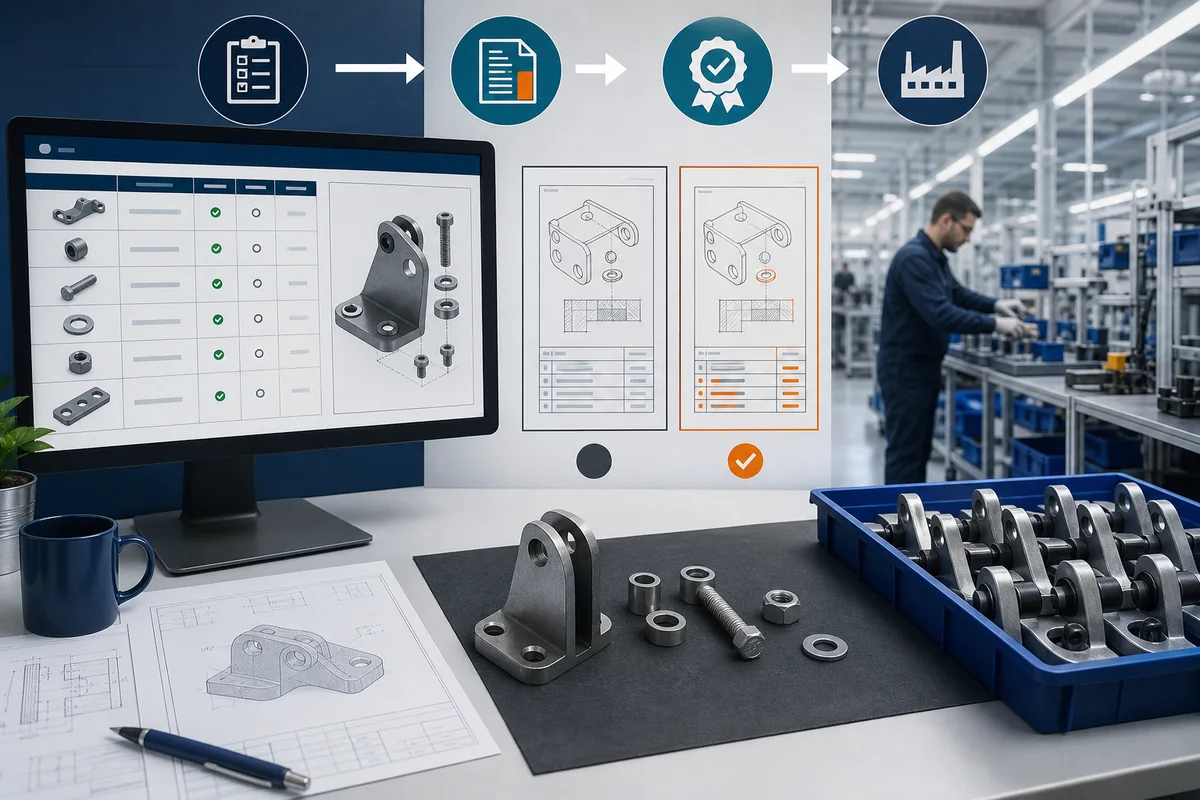
A small manufacturing mistake often begins with an ordinary question: which drawing or parts list is correct? One team has the latest file, purchasing ordered against an older list, and the shop floor started work before the change reached stores. By the time the mismatch is found, material, machine time, and the delivery schedule have already been affected. Bill of materials and revision control prevent this by making the approved product definition clear, current, and traceable.
What BOM and revision control actually mean
A bill of materials, or BOM, is the structured list of raw materials, bought-out parts, subassemblies, consumables, and quantities required to make a product. For a fabricated assembly it may include sheet, fasteners, inserts, coating, and packing material. For an electrical panel it may include enclosures, wires, terminals, breakers, labels, and nested subassemblies.
Revision control records which version of that product definition is approved. It connects the BOM with drawings, specifications, routing, work instructions, inspection plans, and customer requirements. Revision A and Revision B should not be two files with similar names. Each should have a clear change, approval, release date, and rule explaining which orders or batches use it.
Mistakes caused by uncontrolled product data
Many Indian small manufacturers manage product information through Excel sheets, PDFs, email attachments, shared folders, and printed drawings. These tools work until changes become frequent or more departments become involved. Typical problems include:
- Purchasing orders a component that was removed or replaced in the latest design.
- Stores issues the correct item but the wrong grade, size, or manufacturer.
- An operator follows an old drawing with a different hole, tolerance, or operation.
- A subcontractor receives the current drawing but an outdated process note.
- Planning calculates material for the top-level assembly but misses a nested subassembly.
- Quality inspects against a specification that no longer matches the released product.
- Sales promises a repeat order using a previous configuration without checking customer changes.
The visible cost is scrap or rework. The hidden cost includes urgent purchases, production stoppages, excess old stock, additional inspection, customer complaints, and time spent proving how the error happened.
What a reliable manufacturing BOM should contain
A useful BOM is detailed enough to drive purchasing, material issue, production, and costing without forcing employees to guess. Each line should normally include an item code, description, specification, unit of measure, quantity, and position within the assembly. Depending on the product, it may also need make-or-buy status, approved supplier or brand, scrap allowance, drawing reference, and substitute rules.
Consistent item codes matter. If the same bearing appears under a supplier code, a short description, and a local nickname, the system may treat it as three different materials. Clean master data makes stock visible across every product that uses the item and helps purchasing combine demand.
Multi-level BOMs are important when subassemblies are manufactured or stocked separately. They show not only what goes into the finished product but where each part is consumed. This supports accurate material planning, stage-wise issue, subcontracting, and traceability.
A practical revision control workflow
The process does not need to be bureaucratic. It needs defined ownership and a dependable sequence:
- Raise the change. Record the problem, customer request, cost improvement, or component availability issue that requires a revision.
- Review the impact. Check drawings, BOM lines, stock, open purchase orders, job work, work in progress, inspection plans, quotations, and committed deliveries.
- Prepare the new revision. Update all related documents together and describe exactly what changed.
- Approve the change. Assign technical and commercial approval to named roles. Important changes may also require customer approval.
- Set effectivity. Define whether the revision applies from a date, sales order, production batch, serial number, or job card.
- Release one controlled package. Make the approved BOM, drawing, route, and quality documents available from the same product or job record.
- Withdraw superseded versions. Remove old shop-floor prints and prevent previous files from being selected for new work.
The previous revision should remain in history. Deleting it removes evidence needed for repeat-order support, audits, and investigation. A revision log should show who requested, prepared, checked, approved, and released the change, with dates and reasons.
Control when a change becomes effective
Approval alone does not answer what to do with existing stock and open jobs. Suppose a bracket changes from 2 mm to 3 mm thickness. Can remaining 2 mm material be used for orders already in production? Must open purchase orders be amended? Does the customer require the new design immediately, or only for the next batch?
Effectivity gives a precise answer. The system can freeze the BOM revision on each production job while allowing new jobs to use the new revision. This prevents an approved change from silently altering material requirements for work already started.
Disposition decisions should also be recorded for old material and work in progress: use as is, rework, return to supplier, consume before a cut-off, or scrap with approval. This turns engineering change control into an operational plan rather than a document update.
Connect the BOM to daily factory work
A controlled BOM creates value only when the correct revision reaches the people doing the work. The production job card should display or link to its frozen BOM revision, drawing revision, operation route, and inspection plan. Material issue should validate item and quantity against that job. Barcode or QR scanning can reduce selection errors where many similar parts are stored.
Purchasing should see demand from the released BOM, along with approved alternatives. Stores should see reservations and revision-specific requirements. Quality should inspect against the same characteristics that production received. When a deviation is temporarily allowed, its approval and applicable quantity should be linked to the job instead of shared only through a message.
This connected record improves traceability: when a customer reports a problem, the factory can identify the revision, material batch, operator, inspection result, and dispatched quantity without searching through several registers.
How a small manufacturer can start
Do not begin by cleaning every product ever sold. Choose one active product family with repeat orders, frequent changes, or high material value. The first implementation can be kept practical:
- Collect the current BOM, drawings, work instructions, and inspection documents.
- Agree on one item-code and revision-naming standard.
- Remove duplicates and confirm units of measure and quantities.
- Assign owners for preparation, review, approval, and release.
- Load one approved baseline and test it on a small number of live jobs.
- Verify purchase requirements, stores issue, shop-floor access, and quality checks.
- Train users to report a mismatch instead of editing controlled data informally.
A simple digital system can begin with product masters, multi-level BOMs, attachments, approvals, revision history, and job-level effectivity. More advanced features such as material requirement planning, supplier portals, barcode issue, and product costing can follow after the core data is trusted.
How to know the control is working
Measure outcomes rather than the number of documents uploaded. Useful indicators include production stoppages caused by wrong information, material issued outside the BOM, rework linked to old drawings, obsolete stock after changes, emergency purchases, and time needed to trace a dispatched product. These should reduce as employees begin using one released source.
Also check behaviour on the shop floor. Can an operator identify the job's drawing and BOM revision without calling engineering? Can purchasing explain why an item is required? Can stores see whether old stock is still permitted? Clear answers show that revision control is part of the workflow, not merely an audit exercise.
Build one trustworthy product record
The best starting point is not a large ERP rollout. It is one product record that design, purchasing, stores, production, and quality all trust. Once the BOM, revision, approvals, and effectivity are controlled, each job begins with fewer assumptions and every later transaction becomes more reliable.
Want better control of BOMs and drawing revisions?
Share your current BOM and change process with Ploqy Technologies. We will help you outline a practical workflow that fits your products, approvals, and factory operations.