Manufacturing website design should make a capability page useful for a buying decision: can this supplier plausibly make this part, what evidence supports that answer, and what must be reviewed before quoting? A list of machines and a contact button rarely answers all three questions.
This guide is for a small manufacturer planning a machining, fabrication, molding, or similar process page. It focuses on the content of one capability page, not a complete site rebuild. Use the worked example to brief your technical approver and developer, then connect it to the broader manufacturing website project brief.
Start with the buyer's missing decision
A buyer can recognize the name of a process without knowing whether your shop suits the work. Replace broad statements such as advanced equipment or excellent quality with information the buyer can evaluate: relevant materials, part types, supported operations, conditions, and the evidence you are allowed to show.
The public NIST MEP supplier-scouting form description illustrates the distinction. Its technical and business categories include process, dimensions, tolerances, materials, volume, and delivery requirements. Those categories are useful prompts for content planning, not a universal website standard or evidence that every buyer asks the same questions.
Choose one representative inquiry before drafting. For example, an engineer has a drawing for a repeat aluminum part and needs to decide whether to contact a machining supplier. The page should help that person understand relevant experience and remaining questions without pretending the website can approve the drawing.
Work through a capability-page example
Hypothetical planning example: a fictional job shop wants a page for CNC-milled aluminum housings. Its technical team has approved certain sample photographs and a description of its milling work. It has not approved public tolerance limits, minimum order quantities, or delivery promises. These are example inputs, not Ploqy's manufacturing capabilities or a customer's results.
Build the page in the following order. Each block should resolve a question rather than repeat the same sales language.
- Name the actual service. Use a heading such as CNC milling for aluminum housings only if that accurately describes the shop's work. Explain whether the shop accepts prototypes, repeat production, or both after the owner confirms this.
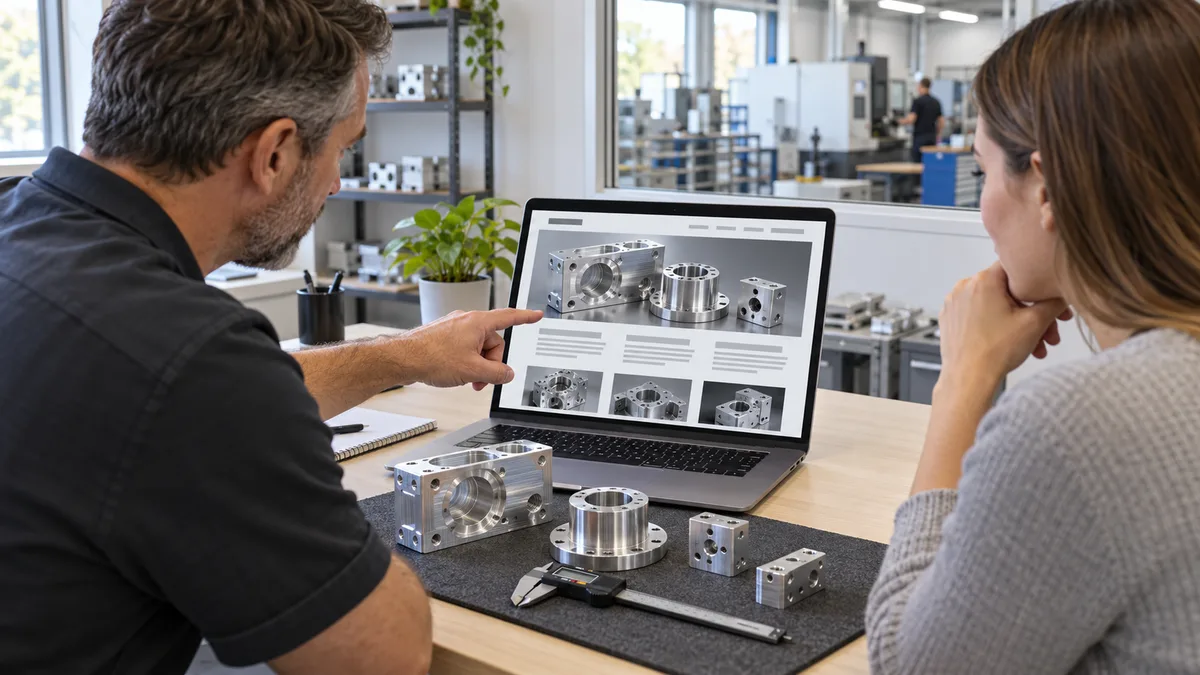
- Show a relevant part. Place an approved photograph of a housing near the opening explanation. Identify what the image demonstrates, such as a type of machined feature. Do not imply that a sample proves every geometry or tolerance is achievable.
- Describe the material scope. Have the technical owner supply supported material grades. If that list is not ready, mark it as missing in the content brief; do not publish a fabricated range or fill the space with every common alloy.
- Explain the review boundary. State that drawing, material, features, inspection expectations, and required quantity are reviewed before acceptance. Do not substitute an unsupported numerical tolerance for that conversation.
- Give the next step. Offer an inquiry route tied to this capability, asking for a nonconfidential summary first and explaining how the team will arrange any detailed-file exchange.
This is a content blueprint, not copy to paste unchanged into a real factory website. If the shop cannot substantiate the service itself, it should not publish the page. If it can substantiate the service but not an optional detail, omit that claim until it is approved.
Turn each claim into an approval record
Before the developer lays out the page, create a short content register. For each claim, record the proposed wording, supporting record, approver, review date, and whether the evidence can be published. This is more useful than circulating a draft in which technical facts and marketing suggestions look equally final.
- Process claim: operations confirms which work is performed in-house and which steps are outsourced.
- Size or tolerance claim: engineering approves its conditions and units; a machine specification alone does not establish every finished-part capability.
- Inspection claim: quality confirms the actual practice and the scope of any example report.
- Delivery claim: planning confirms what can be stated publicly without implying that capacity is always available.
- Credential claim: the responsible owner verifies the exact organization, scope, and current evidence before anything is published.
Keep confidential evidence private even when it supports an approved public statement. The developer may need the approved wording, not the full production record. Never add customer logos, drawings, testimonials, or certificates merely because a file is available internally.
Use photographs and specifications for different jobs
A photograph can show a representative part, finish, or process setting. It cannot by itself establish a tolerance, material grade, delivery commitment, or inspection result. Put the relevant explanation next to the image and label samples, demonstrations, and illustrations honestly.
Use original images that the business is authorized to publish. If a real customer part cannot be shown, photograph an approved demonstration part or explain the capability without that image. An AI-generated factory image is not evidence of your equipment or completed work; label it as an illustration and keep it separate from capability proof.
For numerical specifications, show units and any important conditions. Avoid pairing an inch value with an approximately converted metric value if the difference could change a buyer's interpretation. Have the technical owner approve both. Do not present maximum machine travel as an unconditional finished-part size limit.
Make the answer readable before a download
Keep the core service description, materials, limitations, and inquiry route visible in ordinary page text. A supporting PDF can carry a longer equipment list, but a buyer should not have to open it merely to learn what the page offers. Give downloads a descriptive name and keep their content consistent with the page.
Use headings such as Materials, Part examples, Inspection information, and Request a review when those sections exist. W3C's headings guidance explains that headings communicate structure and support navigation, including through assistive technology. Use real heading elements in a logical order, not only larger styled text.
On a phone, check the longest material name, each specification, image captions, and the inquiry button. Avoid hiding essential qualifications in a hover effect or squeezing a wide specification table until the text is unreadable. A short labeled list can be easier to inspect than a dense table.
Carry the capability into the inquiry
A buyer clicking from a milling page should not have to identify that interest again in a generic form. Preserve the page reference and allow the visitor to correct or expand the requirement. Ask for enough information to start a review, while offering a path for buyers who do not yet have a final drawing.
For the hypothetical housing inquiry, the receiving team should see the originating capability, contact details, a short requirement, and any optional quantity or timing supplied. A confirmation means the request was received, not that the part was accepted, a price approved, or a delivery date promised.
Agree a suitable private channel before requesting confidential drawings. The public capability page is not a customer portal. Our manufacturing customer-portal guide discusses that separate scope; avoid adding account-specific information to a public page to make it seem more complete.
Run a buyer review before publishing
Give someone outside the drafting team a representative requirement and ask them to review the proposed page. Record the answers and what remains unclear:
- Can they identify the process and part type without guessing from photographs?
- Can they distinguish supported scope from details awaiting technical review?
- Does each important claim have an accountable internal approver?
- Can they find the next step on a phone and navigate it with a keyboard?
- Does a clearly labeled test inquiry reach the owner with its capability-page reference?
- Do page text and downloadable specifications agree?
Fix the missing answer rather than adding more adjectives. After launch, review the questions buyers actually ask and update the approved content accordingly. Distinguish visits, relevant inquiries, quotes, and won work; a clearer page does not guarantee any of those outcomes.
Plan one useful capability page
Bring your current website, one manufacturing process, and approved public information to Ploqy Technologies. We can discuss a website-development scope that helps present your capabilities and inquiry path clearly.
Continue with a related guide
- B2B Customer Portal: A Manufacturing Order-Status Pilot
- Manufacturing Website Design: A Practical Project Brief
- Manufacturing CRM Software: An Enquiry-to-RFQ Pilot
Manufacturing software servicesManufacturing website servicesDownload the project checklist
Published by Ploqy Technologies. About our guides and editorial process.