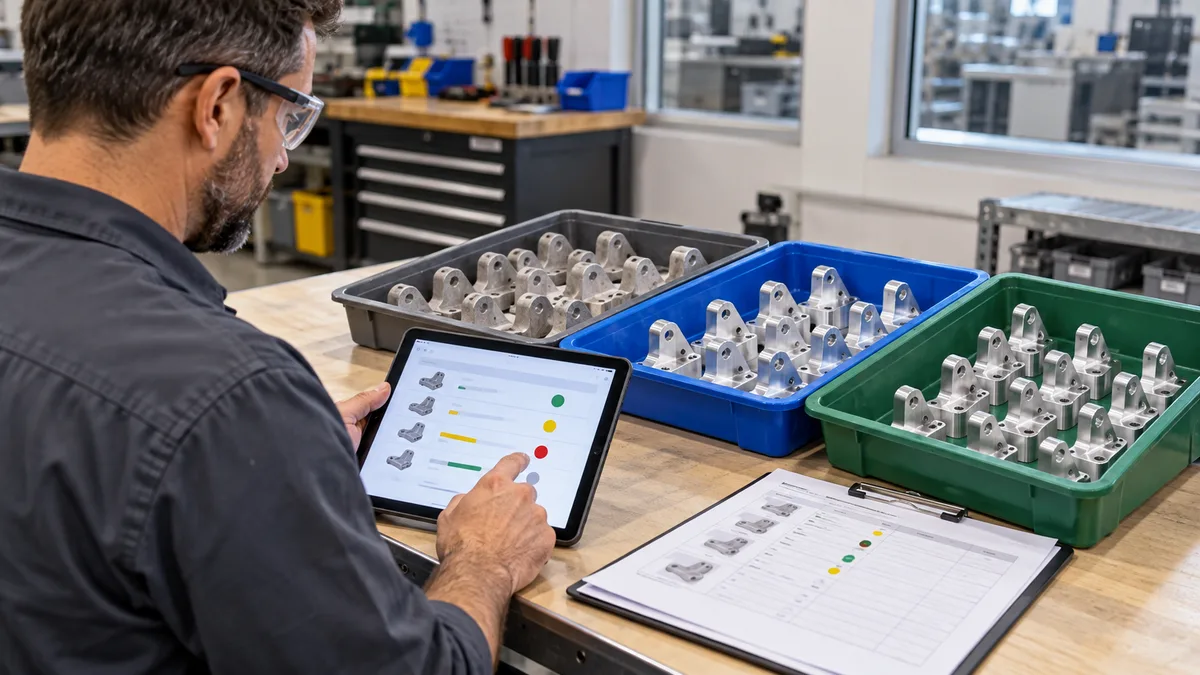
WIP tracking software should explain where each unfinished quantity is now, what can happen to it next, and which transaction changed its status. A single percentage-complete field cannot explain a job split between machining, inspection, hold, and rework. The practical test is whether those quantities reconcile without counting the same pieces twice.
This guide is for production planners and small job-shop owners evaluating a WIP tracking system. It adds a worked quantity example to our main WIP tracking guide. Use it as a software-demo script, not as a claim about a particular product or a customer result.
Separate current pieces from operation totals
Two useful reports answer different questions. A current-position snapshot tells you where the pieces are at one moment. An operation history tells you what work has been recorded over time. A bracket can finish machining and later pass inspection. Counting both completions as two physical brackets inflates the stock.
For reconciliation, put each piece in one mutually exclusive bucket. Record its job, part revision, unit of measure, location, operation, and quality disposition. A held quantity is often a subset of a location's total, not extra stock to add on top. Decide which report uses mutually exclusive buckets before adding its columns.
The example below uses discrete pieces of one part, with no assembly, splitting, mixing, or unit conversion. It reconciles quantities, not monetary WIP valuation. Processes measured in kilograms, meters, or multiple components need their own documented conversion and yield rules.
Follow a hypothetical 100-piece job
Job J-104 starts with 100 blanks. Its route is machining followed by final inspection. A part is finished only after final acceptance. There are no replacement blanks or shipments during this example.
Checkpoint 1: the first partial batch leaves machining
Machining clears 60 pieces for transfer, places 8 on hold, records 2 as confirmed scrap, and leaves 30 unprocessed. After inspection acknowledges receipt of the 60, the quantity account is:
- 30: unprocessed at machining.
- 8: on hold at machining, unavailable for normal transfer.
- 60: waiting at final inspection.
- 2: recorded scrap, excluded from usable stock.
30 + 8 + 60 + 2 = 100. Scrap stays in the job's quantity reconciliation as an accounted disposition; it is not available WIP. The job has moved forward without pretending all 100 pieces completed machining.
Checkpoint 2: inspection splits that batch
Of the 60 received, final inspection accepts 50, sends 6 to rework, and holds 4 for a decision. The 30 unprocessed pieces and the 8 machining holds have not moved.
- 50: accepted finished pieces.
- 30: still unprocessed at machining.
- 8: still held at machining.
- 6: awaiting rework.
- 4: held at inspection.
- 2: cumulative recorded scrap.
50 + 30 + 8 + 6 + 4 + 2 = 100. The 60 previously received at inspection is a historical movement total. It must not remain as an additional current bucket after the split.
Checkpoint 3: rework returns a result
The 6 rework pieces go through the required work and final reinspection. Five are accepted and one is confirmed scrap. Now the account is 55 finished + 30 unprocessed + 12 held + 3 scrap = 100. The 12 held pieces remain distinguishable by location: 8 at machining and 4 at inspection.
Current WIP is 42 pieces: the 30 unprocessed plus 12 held. Accepted finished stock is 55, and recorded scrap is 3. If the customer requires 100 good pieces, the remaining requirement is 45, not 42. Even if every current WIP piece eventually passes, at least 3 additional starting pieces are needed under this simplified one-blank-per-part route. Authorize and link replacement work separately; do not silently change the original ledger.
Make a partial handoff count once
Use the first transfer of 60 as a second test. Ask the demonstrator to record the dispatch before the receiving operator confirms it. The system should make the ownership and physical location clear during that interval.
One workable design moves the quantity into a defined in-transit bucket, then moves it to inspection on acknowledgment. Another retains sender ownership with a pending transfer. Either can be usable if the rules are explicit. What fails is showing 60 available at both stations or deducting it twice.
If the receiver counts only 58, keep the difference of 2 visible for investigation. Do not automatically turn it into scrap or hide it by editing the job total. Preserve the movement reference, sender, receiver, timestamps, counted quantity, and resolution. A repeated scan or retried save must not create another transfer for the same event.
When connecting this workflow to an inventory system for manufacturers, specify the boundary between material issue, shop-floor WIP, accepted finished stock, and dispatch. A shop-floor completion should not create a second receipt for stock already recorded elsewhere.
Keep pending quantity separate from scrap
An unfinished balance is not evidence of a rejected part. Closing a shift, stopping a machine, or saving a partial job card should not automatically consume the open balance as a loss.
Product terminology matters. ERPNext's official Job Card documentation describes a Pending Qty field introduced in version 16 for partially completed work, so unfinished quantity is not treated as process loss. That is a product-specific example, not a universal field definition. Ask how the exact version you are evaluating handles partial completion. Source: ERPNext Job Card documentation.
In the demonstration, stop after machining the first batch and save the job. Reopen it on the next shift. The remaining 30 should still be explainable as unprocessed, and the 8 held pieces should retain their restriction. A status such as "operation complete" must not erase either balance.
Record rework effort without creating extra pieces
Rework adds activity, not new physical output. Keep the original job and quantity reference, record the rework route or instruction, and link its inspection result. Rework labor and machine time may be useful operation measures, but they should not increase the current physical quantity.
In the example, accepting 5 reworked pieces raises finished stock from 50 to 55, not to 61. The 6-piece rework bucket falls to zero and scrap rises from 2 to 3. If the report still shows 6 awaiting rework, the closure did not update the same tracked quantity.
A quality hold also needs a controlled disposition. Keep release, rework, and scrap decisions attributable to an authorized person. See the hold-to-release workflow guide for decision ownership; this quantity test checks what those decisions do to the job balance.
Use this software acceptance test
- Start with a known opening balance. Enter 100 pieces, the route, revision, and unit. Export or capture the opening account.
- Run the three checkpoints. Ask for current quantities by location and disposition after each event, not only a progress bar.
- Pause a transfer. Confirm where the 60 pieces appear before acknowledgment. Try the same event twice and inspect the result.
- Introduce a receiving discrepancy. Receive 58 against 60 in a separate test, resolve the difference, and inspect the correction history.
- Test restrictions. Attempt a normal transfer of held stock. Check the permissions and recorded release decision.
- Save and resume unfinished work. Confirm that pending pieces remain pending rather than becoming scrap.
- Reconcile the final account. Show 55 finished, 42 WIP, and 3 scrap, then inspect the underlying events and export.
Agree what constitutes a pass before the demo. Record expected and actual results, not just screenshots of the dashboard. Distinguish a standard feature, configuration, proposed customization, and a manual workaround. That distinction matters when comparing implementation scope.
Choose the next step from the failed check
If quantities fail to reconcile, locate the first event where they diverge. Missing acknowledgments suggest a handoff problem. Held pieces appearing as available suggest a disposition rule problem. Extra finished stock after rework suggests a counting problem. Each needs a different correction.
Start with one representative route and its real exception patterns. Bring your job-card fields, transfer records, and quality decisions into the evaluation. A useful WIP tracking system should let a planner explain the balance and the next action without rebuilding the job from disconnected messages.
Can your team explain every partly finished job?
Share your current job traveler and the quantity mismatches you need to resolve. Discuss the workflow and software requirements with Ploqy Technologies.
Continue with a related guide
- How a Simple Job Card System Improves Daily Production
- Manufacturing Costing Software: Explain Job-Cost Variance
- OEE Software for Manufacturing: A Practical Factory Guide
Manufacturing software servicesManufacturing website servicesDownload the project checklist
Published by Ploqy Technologies. About our guides and editorial process.