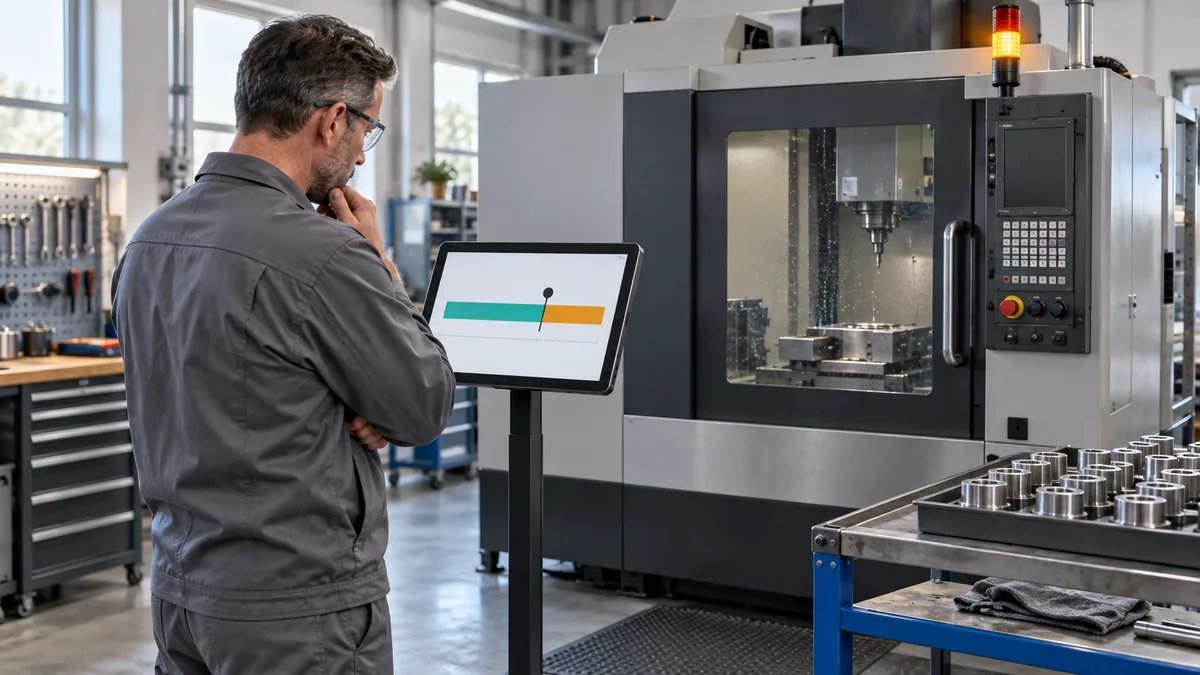
Machine downtime tracking software records when a machine stops, how long the interruption lasts, the production context, and the reason known at the time. Its practical value is a trustworthy event record that production, maintenance, and stores can use to decide what needs attention. A colourful loss chart is useful only if the underlying minutes can be explained.
This guide helps small manufacturing teams in India and other markets evaluate that record. It focuses on shift boundaries, changing reasons, overlapping entries, and missing signals. It complements our OEE software guide, which covers the wider availability, performance, and quality model.
Decide what counts as a stop
Start with one machine or clearly defined line. Write down the signal or observation that opens a stop and the condition that closes it. A controller being powered on is not necessarily evidence of production; a gap between parts may be normal for a long-cycle process. Compare the proposed detection rule with direct observation.
Keep the physical event separate from reporting treatment. A machine can be stopped during a scheduled break, setup, material wait, or equipment fault. Whether that interval counts toward a particular KPI depends on the agreed calendar and calculation rules. Do not silently remove an inconvenient event simply because it is excluded from one metric.
For example, Microsoft's maintenance downtime documentation describes calendar-based duration and reason-code controls for inclusion in asset KPIs. That is product-specific behaviour, not a universal downtime formula. Ask every supplier to demonstrate its own rules.
Keep one identity for the physical interruption
A useful record includes an event ID, machine, start time, end time or still-open status, source, job or operation where known, reason, reviewer, and any correction history. Preserve the occurrence time separately from the time somebody entered or synchronised it.
If a supervisor changes a reason or allocates an event across shifts, retain the connection to the original interruption. Report segments may be needed, but they should not imply that the machine stopped again when it never restarted. Define event count, reason-segment count, and shift allocation separately.
Use timestamps with an unambiguous date and time-zone basis. Test midnight and shifts crossing dates, not just a daytime demonstration. An unfinished stop should continue visibly into the next shift rather than acquiring an invented end time at handover.
Separate machine state, observed reason, and root cause
A machine state may say stopped. An operator's observation may say waiting for material. A later investigation may identify an incorrect reservation or a missed replenishment request. These are related facts, but they are not interchangeable. Do not label the first dropdown selection a proven root cause.
Siemens' reason-tree documentation distinguishes time category, machine state, and layers of reason detail, noting that an operator may know more than the automatically captured controller state. Retain both the source observation and the reviewed explanation when they differ.
Begin with a manageable list that the pilot team can distinguish: equipment fault, tooling, setup, material wait, quality hold, utilities, no scheduled work, and unknown pending review. Adapt it to the actual process. Require a short note for ambiguous cases and review the unknown queue without forcing staff to guess.
Test a stop that crosses a shift boundary
In this fictional test, machine M-07 stops at 09:50 and restarts at 10:20. A shift handover occurs at 10:00. Both shifts were scheduled to run throughout the interval. The first 15 minutes are a material wait; at 10:05 the material arrives and a 15-minute setup begins. These times are demonstration data, not a factory performance claim.
- Physical event: preserve one interruption from 09:50 to 10:20, lasting 30 minutes.
- Shift allocation: assign 10 minutes to the outgoing shift and 20 minutes to the incoming shift.
- Reason allocation: assign 15 minutes to material wait and 15 minutes to setup.
- Combined check: the outgoing shift has 10 material-wait minutes. The incoming shift has 5 material-wait minutes and 15 setup minutes.
- Handover: at 10:00 the new supervisor sees the same open event, current reason, and next action. Restart at 10:20 closes the event once.
The reason totals and the shift totals are two views of the same 30 minutes; adding them together would double-count the loss. If your software represents the change as linked segments, verify that the event-count report still follows your documented counting rule.
Now add a maintenance note from 10:08 to 10:15 while setup continues. That note does not automatically create seven extra stopped minutes. Record concurrent activity separately, or apply an approved non-overlapping reason allocation. Ask the supplier to show the event timeline behind the report.
Choose capture methods around the machine
Manual capture can test definitions before a connection is built. It needs a quick start/stop action, an obvious machine identity, and a review process for late entries. Automatic capture needs an agreed machine signal and a way to show when that signal is unavailable. A hybrid can capture timing automatically while people explain context.
Set a rule for short stops and show its effect. A threshold might control prompts, event creation, or reporting aggregation; those are different behaviours. Ask what is retained below the threshold and whether changing it recalculates earlier reports. Preserve the effective configuration so two weeks can be compared fairly.
Connection loss should produce a visible data-quality exception, not an assumption that the machine ran or stopped for the entire gap. On reconnection, reconcile buffered events, duplicates, and clock differences. Keep estimated intervals identifiable and subject to review.
Link reasons to evidence and next actions
When the reason is a material wait, link the affected item and job to the stores record. Manufacturing stock control software can provide stock, reservation, and issue evidence, but an apparent shortage should be investigated before assigning a cause. Our inventory management guide explains those underlying records.
For an equipment issue, connect the event to a maintenance request without creating another downtime total for the same interval. The maintenance workflow guide covers work preparation and completion. A maintenance job's labour duration is not necessarily the machine's stopped duration.
Make the response owner and next action visible. Tracking software should support the site's approved safety and maintenance procedures, never suggest bypassing them to improve a downtime number. Avoid using incomplete reason data as an automatic judgement of an individual worker.
Review time integrity before ranking losses
At shift close, check open events, missing reasons, overlapping intervals, gaps in machine data, and late corrections. Compare the recorded timeline with production context. Require a reason, editor, and timestamp for important changes; preserve the original values rather than quietly replacing history.
Review duration and frequency separately. One long interruption and many brief interruptions may require different investigations. Group comparable machines, products, and scheduled windows, and show the reporting period. A reason-ranked chart tells the team where to investigate; it does not prove why the issue occurred.
Run a focused acceptance checklist
- Boundary: reproduce the 30-minute example and reconcile both shift and reason views.
- Open handover: transfer responsibility without closing or duplicating the event.
- Overlap: add a concurrent note and confirm that elapsed downtime stays unchanged.
- Unknown reason: keep the stop visible until a reviewer supplies supported detail.
- Signal gap: disconnect the test data source and confirm that missing evidence is labelled, not invented.
- Correction: amend a time or reason and retrieve the original record, explanation, and revised totals.
- Export: retrieve event IDs, segments, sources, and timestamps in a usable format, not only a chart image.
Bring the machine list, stop definitions, example timeline, reason list, and expected acceptance results to a discussion of Ploqy's manufacturing software development service. Confirm machine-interface feasibility and project scope before treating automatic capture or integrations as included.
Make every stopped minute explainable
Discuss your downtime register, shift handover, machine signals, and review process with Ploqy Technologies.
Continue with a related guide
- Custom ERP vs Ready-Made ERP for Small Manufacturers
- ERP Data Migration: A Manufacturing Go-Live Checklist
- How to Choose Manufacturing Software Without Buying Too Much
Manufacturing software servicesManufacturing website servicesDownload the project checklist
Published by Ploqy Technologies. About our guides and editorial process.