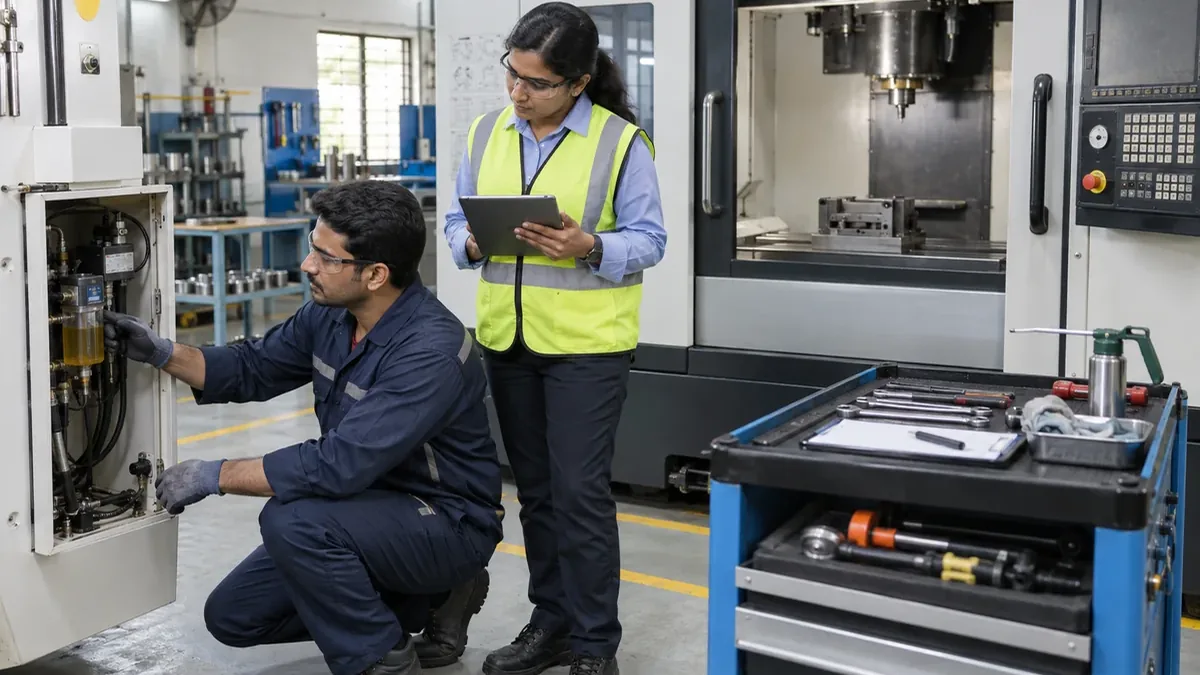
Preventive maintenance in a small factory often depends on a wall calendar, a spreadsheet, and the memory of an experienced technician. Work is postponed when production is busy, checklists differ between people, and defects found during servicing may remain in a notebook. The schedule then shows a completed task without explaining what was inspected or what needs follow-up.
Preventive maintenance software for manufacturing should make recurring work visible and executable. It does not replace the equipment maker's instructions, qualified maintenance judgement, or the factory's safety procedures. It connects those requirements to dates, usage, resources, production plans, evidence, and action.
Begin with a controlled equipment register
Assign each maintained asset a unique code and record its name, type, location, manufacturer and model where relevant, ownership, current status, responsible team, and related documents. Include important subassemblies only when they need separate work or history.
Avoid building a huge register before scheduling anything. Start with one production area and the machines, utilities, tooling systems, and safety-related equipment that require planned attention.
Set maintenance priority in context
Consider how equipment failure could affect people, product quality, delivery, connected assets, repair lead time, and available alternatives. Use a the factory's own risk and safety process rather than an unexplained generic score.
Priority helps determine review frequency, planning horizon, escalation, and the care required before deferring work. It should not automatically create the same schedule for every machine.
Choose the right service trigger
Maintenance may be triggered by calendar time, operating hours, cycles, quantity produced, condition readings, an inspection result, or a combination. Use the trigger supported by the equipment requirement and data the factory can collect reliably.
If a meter is entered manually, record the reading date, source, and person. Flag unexpected decreases or jumps for review. If readings are not dependable, an apparently precise usage schedule can be less trustworthy than a well-managed calendar plan.
Create reusable job plans
For each recurring task, define the scope, reference instructions, required competency, estimated duration, tools, consumables, spare parts, checks, acceptance criteria, and completion evidence. Keep safety preparation and return-to-service requirements visible.
Use concise steps that support qualified work without rewriting controlled technical procedures. When a job plan changes, preserve the version used on completed work orders so history remains understandable.
Coordinate maintenance with production
Show maintenance demand alongside shifts, planned jobs, changeovers, holidays, and other downtime. Agree on a planning horizon and a shorter frozen period in which changes need clear authorisation. Link the planned stop to affected jobs and work centres.
The production planning software guide explains how resource calendars and job sequence form the daily plan. Maintenance should update that same capacity view instead of remaining on a separate calendar that production cannot see.
Prepare people, tools, and spares
Before release, confirm technician availability, required competency, permits or internal approvals, tools, measuring equipment, consumables, and spare parts. Distinguish stock physically present from stock reserved, under inspection, or unavailable.
Connect planned spare demand to the inventory control workflow. If an item must be purchased, create the request through the digital purchase requisition process early enough to support the planned window.
Release a clear maintenance work order
The work order should identify the asset, job plan and revision, due basis, planned start and finish, production handoff, assigned technician, resources, and current status. Avoid sending technicians to search several files before beginning.
Use statuses such as planned, awaiting window, awaiting resource, ready, in progress, paused, completed pending review, follow-up required, verified, deferred, cancelled, and closed. Show the current owner and reason for any wait.
Keep safe execution inside the workflow
Maintenance must follow the site's approved isolation, permit, protective-equipment, access, and return-to-service procedures, performed by authorised people. The software should reference and record the required controls without improvising technical safety instructions.
Do not allow a schedule reminder to imply that production can release equipment automatically. The responsible production and maintenance roles should confirm handoff, work completion, guarding, housekeeping, and authorised return to operation.
Capture evidence during the work
Record start and finish, meter reading, steps completed, observations, measured values where required, parts and consumables used, condition found, technician, and reviewer. Photographs can add useful evidence but should not replace structured results.
A checklist item should allow pass, fail, not applicable with reason, or follow-up where appropriate. Prevent a completed status when required checks or decisions are missing.
Turn findings into controlled follow-up
A technician may find leakage, wear, looseness, contamination, unusual sound, damaged guarding, or another condition requiring action. Create a linked defect or corrective work request with priority, owner, due date, equipment status, and evidence.
Separate immediate containment from permanent correction. If production resumes under an authorised decision, record the condition, responsibility, monitoring requirement, and review date according to the factory's process.
Verify completion and return to service
Completion should mean more than ticking the schedule. Confirm required steps, results, parts used, open findings, cleanup, documents, and authorised return to service. Record who reviewed the evidence and when the asset status changed.
The next due date or meter should be calculated from the approved rule. Decide whether it is based on the original planned date, actual completion, or another defined trigger, and apply that rule consistently.
Control deferment instead of moving dates silently
When production pressure or missing resources prevent planned work, record the reason, risk review required by the factory, authorised person, revised date, interim action, and effect on related work. Preserve the original due date.
Repeated deferment should become visible. Moving a task forward on a calendar without history makes the schedule look healthy while the underlying work remains overdue.
Manage backlog by condition and impact
Separate not-yet-due planned work, due work, overdue preventive tasks, defects awaiting repair, jobs blocked by parts, and completed work awaiting review. Prioritise using the factory's safety, quality, production, and equipment-risk process.
Give each backlog item an owner and next action. A long undifferentiated list encourages teams to complete easy tasks while important constrained work waits.
Show maintenance exceptions on the factory view
The daily operating view may include critical overdue tasks, equipment unavailable for production, maintenance affecting today's capacity, work blocked by spares, and important findings awaiting decision. Link every status to the asset and work order.
Keep longer history and recurring-condition analysis in a maintenance review. The manufacturing dashboard guide explains how to reserve the daily screen for actionable exceptions.
Review the schedule at two rhythms
Use a short daily review for today's planned stops, equipment status, overdue critical work, blocked tasks, and defects affecting production. Use a weekly planning review to prepare upcoming windows, labour, tools, spares, and coordination with production.
Periodically inspect repeat defects, frequent deferment reasons, job-plan gaps, unexpected work duration, missing parts, and incomplete evidence. Use the findings to improve the maintenance process and master data.
Pilot one production area
Select a small group of important assets with known recurring work and an engaged production supervisor. Clean the equipment register, load controlled job plans, confirm triggers, assign responsibilities, and prepare the near-term schedule.
Test a normal completion, meter-triggered task, blocked spare, production reschedule, pause, defect finding, follow-up repair, deferment, incomplete checklist, and return-to-service review. Run the pilot until production and maintenance can use one schedule without a parallel sheet.
Begin with maintenance that is easy to miss
Choose one group of recurring tasks currently dependent on memory or manual reminders. Map the asset, trigger, work plan, window, resources, execution record, findings, and closeout responsibility.
A focused preventive-maintenance workflow makes planned work easier to prepare and exceptions harder to hide. Once it works for one area, expand carefully to more assets, meters, spare planning, and connected factory reporting.
Want a practical preventive maintenance workflow?
Share one equipment register, maintenance calendar, and recurring checklist your team uses today. Ploqy Technologies can help map a focused digital workflow around triggers, planning windows, resources, completion evidence, and follow-up.
Continue with a related guide
- How a Simple Job Card System Improves Daily Production
- OEE Software for Manufacturing: A Practical Factory Guide
- Production Planning Software for Small Factories: What to Start With
Manufacturing software servicesManufacturing website servicesDownload the project checklist
Published by Ploqy Technologies. About our guides and editorial process.