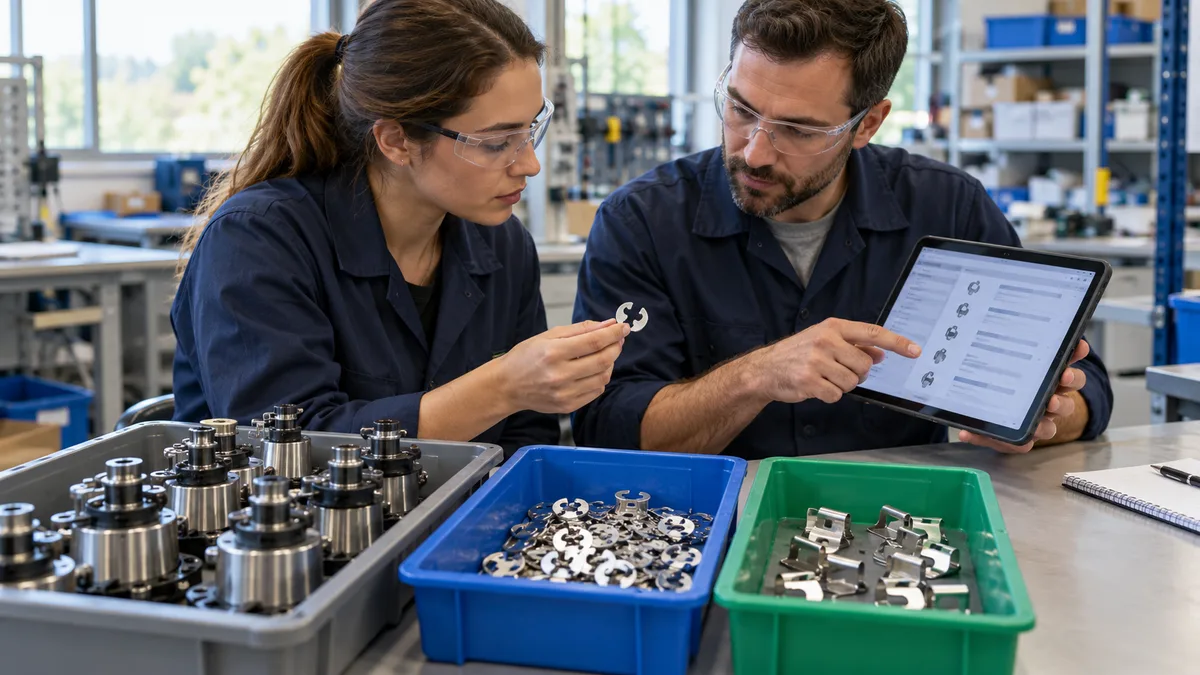
Bill of materials software should let you change the remaining work on an open job without rewriting what the factory already built. Preserve the released BOM, identify which unfinished quantity the approved change affects, and reconcile issued materials before releasing the revised work. Editing the master BOM alone is not a complete change process.
This guide gives production planners, stores teams, and manufacturing software buyers a practical demonstration case. It separates three records that are easy to confuse: the original material plan, the revised requirement for unfinished units, and actual material movements. For the wider approval process, read our BOM revision-control guide.
Decide which units the change actually affects
An approved new revision does not, by itself, explain what should happen to every open production order. Someone must decide whether the change applies to future orders, all unfinished units, particular serial numbers, or an identified batch. Completed work may need a separate disposition. Do not assume old and new components are interchangeable.
As a named product example, Microsoft's engineering change management documentation describes assessing the business impact of a change against production orders, purchase orders, sales orders, and inventory. Its review and approval workflow illustrates why a BOM edit needs context. It does not establish what your current software, or a proposed Ploqy project, supports.
Record the affected job, old and new revision, quantity, authorization, effective point, and work instructions. Hold affected work while these decisions are unresolved. If some units are partly assembled, identify their actual operation and component state separately; a simple completed-versus-unstarted split will not describe them accurately.
Demonstration: 40 units complete, 60 still to build
Hypothetical example, not a customer result: Job J-100 covers 100 small assemblies under Revision A. Each requires two clips of item X. Stores has issued 200 X to the job. Production has completed 40 assemblies and recorded consumption of 80 X. The other 60 assemblies have not started, and a physical count confirms 120 unused X at the bench. This simplified case has no scrap or partially assembled units.
For this example only, the documented engineering, quality, and customer decision permits the 40 completed Revision A assemblies to remain as built. The remaining 60 must use Revision B, which requires three clips of a different item Y per assembly. That decision is an explicit assumption, not permission to accept old-revision output on other jobs.
- Completed history: 40 assemblies remain linked to Revision A and the recorded 80 X consumed.
- Remaining requirement: 60 assemblies multiplied by three Y gives 180 Y planned for Revision B.
- Unused material: 120 X needs a controlled return or another approved disposition; changing the BOM does not move it.
Recalculating the new BOM against all 100 assemblies would demand 300 Y and ignore the completed quantity. Replacing the historical X consumption with Y would describe work that never happened. A useful demonstration must preserve both the approved change and the real production history.
Keep revised demand from becoming extra demand
Ask the vendor to show how the system represents the remaining 60 units. One supported approach may split them into a linked child job; another may keep separately controlled revision segments within the original order. Either can work if the remaining demand, routing, material reservations, and traceability stay understandable.
If a child job is created for 60 units, the original order must no longer retain the same 60 as open demand. The result is 40 completed plus 60 outstanding, totaling the original 100 ordered. It is not the original 100 plus a new 60. Check the planning report as well as the job screen; a tidy screen can still hide duplicated demand elsewhere.
Keep the original released BOM snapshot and an auditable change record. Reports should distinguish the original baseline from the amended requirement for the unfinished work. A live link to the latest master BOM should not silently rewrite the job's earlier plan or actual consumption. Our shop-floor document-control guide covers the related problem of supplying the correct drawings and instructions.
Reconcile the old clips before issuing replacements
Stores should verify the identity, count, and condition of the unused 120 X before accepting them back under the agreed inspection process. Record the return against the job and original issue reference, retaining lot identity when applicable. Material waiting for inspection is not automatically released stock. For the surrounding receipt, issue, and status workflow, see our inventory management guide.
After the accepted return, 200 X issued minus 120 X returned leaves a net issue of 80 X. In this example, that agrees with the separately recorded consumption of 80 X in the completed assemblies. The agreement is a reconciliation, not a rule that every net issue equals consumption. On a different job, some net-issued material may still be unused in production.
The 180 Y is initially a requirement, not a receipt, issue, or consumption transaction. Confirm availability and release the authorized material movement when the job is ready. A BOM change must not create stock, consume components, or close a material discrepancy merely to make the planning totals look right.
Close the purchasing and shop-floor handoffs
Review open purchase orders and reservations for X separately. A supplier order might serve several jobs; canceling all of it because J-100 changed could disrupt another order. Likewise, deciding whether returned X can be reused, returned to the supplier, reworked, or scrapped requires its own approval and evidence.
WIP tracking software should show which quantity is complete, which quantity is held for the change, and which revision governs the remaining released work. That status must not be inferred solely from a changed due date. Assign an owner for removing superseded kit sheets, updating the applicable instructions, and confirming that the operator has the correct package before work resumes.
Test connected systems too. An import or retry must not apply the 120-piece return twice or create a second 60-unit child job. Ask how users can identify the originating change request and transaction references across planning, stores, and production. These are proposed acceptance conditions, not assumptions about existing features.
Seven checks for a bill of materials software demo
Use a non-confidential sample job and ask the vendor to show records, not just describe features:
- Scope: identify the 40 completed and 60 unstarted units, with an explicit decision for each group.
- History: retain Revision A and 80 X actual consumption for the completed quantity.
- New requirement: calculate 180 Y for the remaining 60, without retrospectively consuming it.
- Demand balance: prove that a split leaves 100 total ordered units, not 160.
- Material reconciliation: post one accepted return of 120 X and explain the resulting net issue of 80 X.
- Release control: demonstrate who authorizes the revised work and how the correct instructions reach the operator.
- Audit and recovery: export the old baseline, revised demand, approvals, and movements; repeat a failed integration safely without duplicating them.
Begin with this simple split before testing partial assemblies, substitutions, or scrap. Those exceptions need additional rules. The useful buying question is not only whether a system stores BOM revisions, but whether your team can explain the quantities and authorizations after an open job changes.
Plan a clearer BOM change workflow
Share a non-confidential example of an open job, a revision change, and the material records your team uses. Ploqy Technologies can discuss your workflow and the software scope needed to support it.
Continue with a related guide
- BOM revision control for manufacturing
- Manufacturing document control on the shop floor
- Inventory Management Software for Small Manufacturers: A Practical Guide
Manufacturing software servicesManufacturing website servicesDownload the project checklist
Published by Ploqy Technologies. About our guides and editorial process.