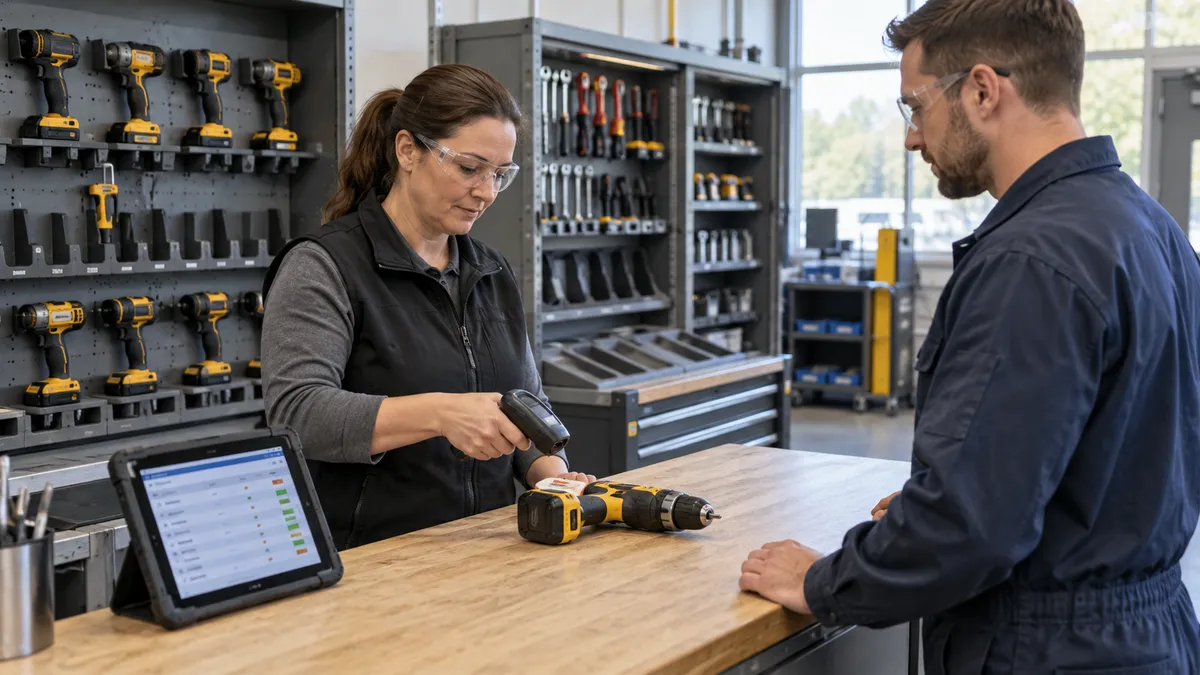
Tool tracking software records individual tools, their assigned holders or locations, and the events that move them between storage and use. For a small factory, the first useful outcome is a trustworthy answer to three questions: which tool is needed, who currently holds it, and can it be issued for the next job?
This guide is for workshop owners, stores teams, and production supervisors, including small manufacturers in India and other markets. It proposes a checkout pilot, not a product ranking. The suggested controls are requirements to test with a provider, not a claim that Ploqy sells a ready-made tool-tracking product.
Separate returnable tools from consumable stock
A cordless drill normally returns after use; a box of disposable inserts is issued in quantities and consumed. Give the drill an individual identity. Manage interchangeable consumables by item and quantity unless a specific traceability requirement calls for more detail.
If you already use factory stock management software, check whether it supports custody of individual returnable items rather than treating every issue as consumption. Our manufacturing inventory guide covers material balances; this pilot concentrates on reusable tools moving between people, jobs, and storage.
Commercial tool-crib systems do cover these transactions: GigaTrak's machine-shop documentation describes checkouts to people or projects, transfers, and returns to storage. That establishes a workflow to ask about, not a guarantee that every product implements the same controls.
Build a small, verified tool register
Choose one tool cabinet and one working group. Physically identify each pilot item before importing a spreadsheet. A useful record contains a unique tool ID, plain-language description, photo, home location, current location or holder, condition, and active or retired status. Add the manufacturer's serial number where present, but keep your internal ID stable.
For kits, decide whether the case and each important component need separate records. A returned case is not evidence that every socket or attachment is inside. Record the expected kit contents and assign responsibility for checking them. Do not let two identical-looking drills share the same tracking label.
Record the handoff, not just a scan
At checkout, identify the tool and recipient, confirm its issue status, record the job or work area when relevant, and set an expected return time. Show a clear confirmation with the tool ID and holder. Link the job reference to the job-card workflow where that connection helps the team.
A scan should select the record; it should not silently issue whatever happens to be on screen. Ask the provider to demonstrate a repeated scan and two people attempting to issue the same tool. The accepted transaction must be unambiguous, with the other attempt showing that the tool is already assigned.
Keep custody tracking focused on the equipment handoff. Use the staff identifiers needed for that purpose, explain the process to the team, and limit who can view or change those records. A checkout register does not require continuous monitoring of employees.
Separate returned from ready to issue
A returned tool may be ready for storage, awaiting a condition check, incomplete, or damaged. Record its physical return first, then its availability decision. A damaged return should go to a designated holding location and remain unavailable until an authorised person releases it through the factory's process.
Define who records the condition and what evidence is required. A short note and an appropriate photograph may support a reported defect, but a software status is not a technical safety assessment. Follow the site's approved inspection and equipment-use procedures. Connect repair follow-up to your maintenance workflow rather than repeatedly changing the return date.
Walk through a hypothetical handoff
Imagine a workshop with two drills, D-014 and D-015. These identifiers and events are illustrative, not customer results. D-014 is issued to an operator for job J-208. D-015 is on a condition hold. A count of two drills owned must not appear as two drills available.
- The operator requests a transfer of D-014 to another team for job J-209.
- The receiving person confirms possession; the register retains the original checkout and transfer history.
- D-014 returns with a reported defect and moves to the holding location.
- The next requester sees no issuable drill and the responsible contact, rather than a misleading available balance.
This scenario tests whether custody, location, and availability can change independently. It also makes the handoff rule explicit: a message saying a tool was left nearby is not the same as a confirmed transfer.
Handle reservations and overdue returns honestly
A reservation is a future request, not proof that a tool is ready now. Record the required time window, requester, and job. If the current checkout overlaps that window, show the conflict for review instead of promising the same tool to both jobs.
Send overdue items to a named person for follow-up. Check whether the work was extended, the return was missed, or the item cannot be found. Preserve the original due time and explain changes. An overdue record alone does not prove loss or misuse; use a separate reviewed status when the location is genuinely unknown.
Test labels, devices, and interrupted connections
Try the label and scanner on the actual tools, in their normal storage positions and lighting. Choose label placement that does not cover safety markings, controls, vents, or essential identification. Our barcode receiving pilot explains identity mapping; the tool-room test must additionally identify the individual object and holder.
Ask what happens when a connection drops between scanning and saving. The screen should distinguish confirmed, pending, and failed events. If offline entry is offered, test conflicting checkouts before reconnecting. A barcode-based checkout record shows the last recorded handoff, not continuous physical location; do not assume scanning provides live positioning.
Use these acceptance tests before expanding
- Identity: scan two similar tools and confirm they open different records.
- Duplicate issue: attempt a second checkout and verify the existing holder remains correct.
- Transfer: confirm a new holder without deleting the previous handoff.
- Damaged return: record the return while keeping the tool unavailable.
- Incomplete kit: identify missing components before marking the kit ready.
- Reservation conflict: overlap a booking with an active checkout and review the warning.
- Correction: fix a mistaken recipient with a reason and retained history.
- Recovery: interrupt a save, reconnect, and confirm there is one accepted event.
- Ownership: export the register and transaction history and check that the IDs remain usable.
Record pass, fail, or unresolved against each test, with the person who observed it. Review missed handoffs, unresolved returns, and actual time spent finding pilot tools. Expand only when the team can maintain reliable records during an ordinary shift, not just during a supervised demonstration.
Preparing a scope? Review our manufacturing software development services, then bring a sample register, checkout sheet, and the exceptions your team encounters. Agree the requirements and implementation scope before treating any feature as included.
Make your tool-room requirements clear
Discuss your current tool register, handoffs, and return process with Ploqy Technologies.
Continue with a related guide
- Custom ERP vs Ready-Made ERP for Small Manufacturers
- How to Choose Manufacturing Software Without Buying Too Much
- Manufacturing Dashboards: What Factory Owners Need to See Daily
Manufacturing software servicesManufacturing website servicesDownload the project checklist
Published by Ploqy Technologies. About our guides and editorial process.